Do not Lose Hope Zombie Armageddon
Played 2 times.


About Do not Lose Hope Zombie Armageddon
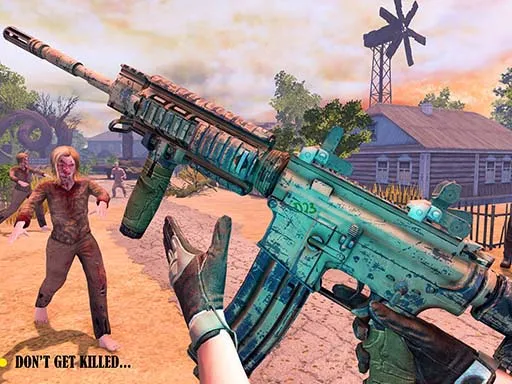
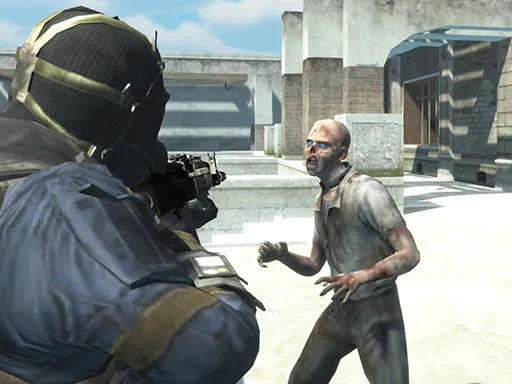
Third-person gunplay, a horror mood and a zombie apocalypse: that is the recipe for Do not Lose Hope Zombie Armageddon. You see your character from behind as you pick through hostile scenes and take down the undead.
A slow-motion special skill gives you a way to turn a bad situation around, and you can pick up and switch between weapons as you find them. Performance may be a little rough at first, and the game suggests waiting a short while after firing for things to smooth out. Keyboard and mouse is the way to play.
Game details
| Genre | Shooting |
|---|---|
| Controls | Mouse or touch |
| Platform | Browser, phone and tablet |
| Cost | Free, no download |
| Screen | 960 x 600 px |
How to play Do not Lose Hope Zombie Armageddon
- Move your character with W, A, S and D.
- Use the left mouse button to shoot and the right button to aim.
- Press E to pick up a weapon, and 1, 2 or 3 to change weapons.
- Press F for slow motion, and Space to jump.
Tips for Do not Lose Hope Zombie Armageddon
- Save slow motion for when you are surrounded; the skill needs time to recharge after use.
- Pick up any weapon you find and swap with 1, 2 and 3 to suit each situation.
- If the frame rate stutters, fire a few shots and wait; it may settle down.
Frequently asked questions
Is Do not Lose Hope Zombie Armageddon free?
Yes. It is free to play in the browser, with no download or sign-up needed.
What are the controls in Do not Lose Hope Zombie Armageddon?
WASD moves, left click shoots, right click aims, Space jumps, E picks up weapons, 1 to 3 change weapon and F triggers slow motion.
What does the special skill do in Do not Lose Hope Zombie Armageddon?
It slows the action down so you have more time to aim and survive. Press F to use it when it is ready.
More to play: Shooting games · 3D games · Action games · Adventure games · Zombie games
Categories
Adventure 3D Action Shooting Zombie
Tags Comments