DEAD WARFARE Zombie Shooting Gun Games
Played 2 times.


About DEAD WARFARE Zombie Shooting Gun Games
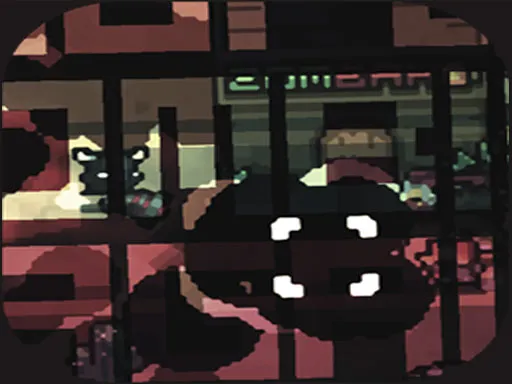
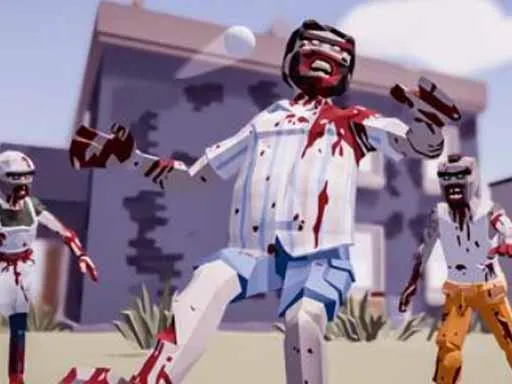
A museum, a locked-in team and hordes of zombies in the dark: that is how Dead Warfare begins. The shooters have only a handful of guns to push through the night, until a secret comes to light and gives the survivors a stronger reason to carry on.
Controls use the keyboard for movement, with the keys A, W, D and Z listed, and the mouse wheel changes weapons. The game mixes 3D shooting with an escape storyline, and tags mention Halloween and arcade play. It is a fast, dark action game that gives you a clear situation: survive the night, find a way out and keep your ammunition in mind.
Game details
| Genre | Shooting |
|---|---|
| Controls | Keyboard + mouse or touch |
| Platform | Browser, phone and tablet |
| Cost | Free, no download |
| Screen | 1280 x 800 px |
How to play DEAD WARFARE Zombie Shooting Gun Games
- Move your character with the keys A, W, D and Z.
- Aim at the zombies and shoot your gun.
- Scroll the mouse wheel to change weapons.
- Fight your way through the museum and survive the night.
Tips for DEAD WARFARE Zombie Shooting Gun Games
- Guns are scarce, so make each shot count rather than spraying.
- Swap weapons with the wheel before a fight, not during it.
- Keep moving; zombies come in hordes, and standing still invites trouble.
Frequently asked questions
Is Dead Warfare free to play?
Yes. Dead Warfare is free in your browser, with no download and no sign-up.
What are the controls in Dead Warfare?
Use the keys A, W, D and Z to move, aim and shoot with the mouse, and scroll the mouse wheel to change weapons.
What is the story in Dead Warfare?
A squad is cornered inside a museum by swarms of the undead and must survive the night on limited firepower. A secret then gives them a real purpose.
More to play: Shooting games · 3D games · Action games · Adventure games · Arcade games
Categories
Adventure Escape 3D Action Arcade Shooting Zombie Halloween
Tags Comments