Parking Simulator 3D Bus Games
Played 2 times.


About Parking Simulator 3D Bus Games
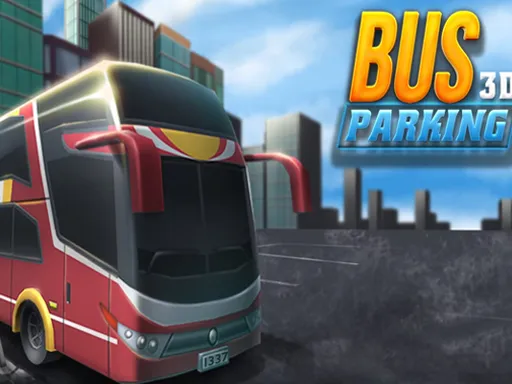
City coaches need careful hands, and Parking Simulator 3D Bus Games lets you practice with a full 3D bus. The job is to bring a large passenger vehicle into its parking spot without making a mess of it.
Controls are on the keyboard, which gives you steady and predictable steering. The scene is rendered in three dimensions, so you can judge distances and angles with your own eyes rather than guessing. There is no pressure to race, just the satisfying feeling of lining up a big vehicle perfectly. It is a calm, casual way to spend a few minutes.
Game details
| Genre | Racing |
|---|---|
| Controls | Keyboard |
| Platform | Browser, phone and tablet |
| Cost | Free, no download |
| Screen | 800 x 600 px |
How to play Parking Simulator 3D Bus Games
- Use the keyboard controls to accelerate, brake and steer.
- Head toward the highlighted parking area.
- Take wide, slow turns to keep the bus clear of obstacles.
- Reverse if needed to straighten up.
- Stop inside the marked spot to finish the level.
Tips for Parking Simulator 3D Bus Games
- Approach the bay at an angle that lets you swing the rear in gradually.
- Check the corners of the bus often, since a long body clips things easily.
- Brake early; coasting to a stop is smoother than slamming the pedal.
Frequently asked questions
Is Parking Simulator 3D Bus Games free?
Yes. It is free, plays in the browser, and needs no download or sign-up.
What controls does Parking Simulator 3D Bus Games use?
Keyboard controls. It is best on a computer, where keys give you more accurate steering than touch.
What is the goal of Parking Simulator 3D Bus Games?
To drive a city passenger bus into its parking spot cleanly, using careful steering and braking.
More to play: Racing games · .io games · 3D games · Action games · Arcade games
Categories
Racing .io 3D Action Car Arcade Hypercasual Casual Fun
Tags Comments