
About Parking Your Car
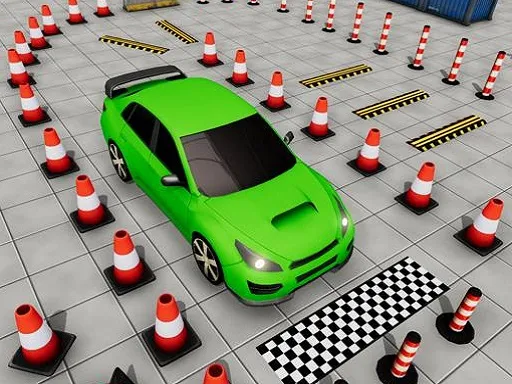
Garages are tight, so patience pays. Parking Your Car is a 3D parking game made with Unity and WebGL, where the challenge is placing a car neatly after a drive across tricky ground.
The game describes itself as a car simulator with some well-known vehicle types, and it works as a gentle way to practice low-speed control. Use W, A, S and D to drive. It loads inside your browser with no downloads, and since it is flagged as mobile-friendly, a phone or tablet can run it, though a keyboard is the easiest option.
Game details
| Genre | Racing |
|---|---|
| Controls | Keyboard |
| Platform | Browser, phone and tablet |
| Cost | Free, no download |
| Screen | 800 x 600 px |
How to play Parking Your Car
- Drive the car with W, A, S and D.
- Take the car across the terrain toward the parking area.
- Line the car up with the space at low speed.
- Stop inside the parking spot to complete the level.
Tips for Parking Your Car
- Move slowly near the space; small steering changes are easier to judge.
- Reverse out and realign instead of trying to rescue a bad angle.
- Use gentle braking to stop the car exactly inside the bay.
Frequently asked questions
Is Parking Your Car free?
Yes. Parking Your Car is free, runs in your browser, and needs no download or sign-up.
What controls does Parking Your Car use?
Drive with W, A, S and D. The game is flagged mobile-friendly, but a keyboard is the easiest way to park accurately.
What is the goal in Parking Your Car?
You drive a car through a 3D course and park it neatly in the space, practicing careful low-speed control.
More to play: Racing games · Car games · Parking games
Popular topics: 3d games · cars · driving · supercars · unity3d






💬 Comments