Madalin Stunt Cars Pro
Played 3 times.


About Madalin Stunt Cars Pro
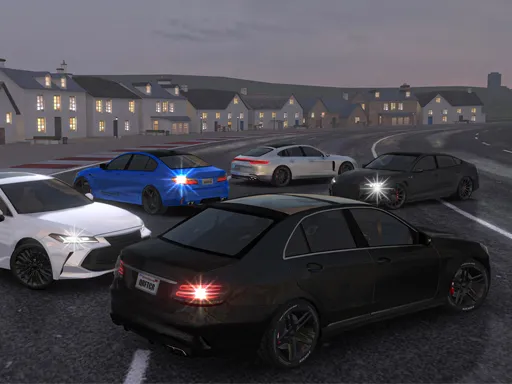
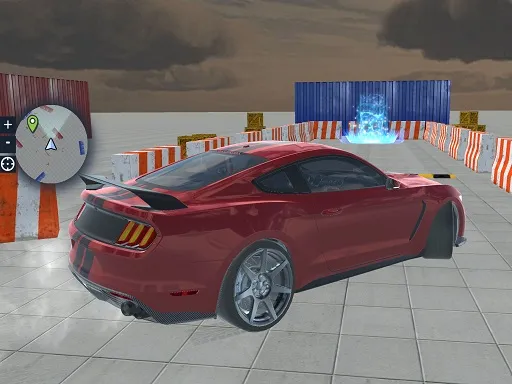
Stunt driving gets plenty of space in Madalin Stunt Cars Pro. There are three distinct map areas to explore in 3D, and you can pick vehicles ranging from sleek sports cars to a police cruiser.
The key list is long for a browser game. Arrows or WASD steer, Space is the handbrake, Shift gives nitro, Ctrl swaps your car, M shows the rearview mirror and H turns on the police lights. Free roaming means you set your own goals, from performing stunts to just cruising around, and the 3D graphics keep the scenery detailed.
Game details
| Genre | Racing |
|---|---|
| Controls | Keyboard |
| Platform | Browser, phone and tablet |
| Cost | Free, no download |
| Screen | 960 x 600 px |
How to play Madalin Stunt Cars Pro
- Steer with WASD or the arrow keys.
- Press Space for the handbrake and Shift for nitro.
- Press Ctrl to swap vehicles and M for the rearview mirror.
- Press H to turn on the police lights.
Tips for Madalin Stunt Cars Pro
- Try each of the three map areas, since each gives a different place to practice stunts.
- Use the handbrake for sharp turns, then release it as soon as the car is pointing the right way.
- Swap cars with Ctrl often; a sports car and a police cruiser do not feel the same.
Frequently asked questions
Is Madalin Stunt Cars Pro free?
Yes. It is free to play in the browser, with no download and no sign-up.
What are the controls in Madalin Stunt Cars Pro?
Arrows or WASD steer, Space is the handbrake, Shift is nitro, Ctrl changes car, M shows the rearview mirror and H turns on the police lights.
How many maps does Madalin Stunt Cars Pro have?
There are three diverse map areas to explore, and you can drive vehicles from sports cars to a police cruiser.
More to play: Racing games · Car games
Popular topics: 3d games · cars · drift · drifting · driving · free games for your website · supercars
Categories Tags Comments