Advanced Car Parking 3D Simulator
Played 5 times.


About Advanced Car Parking 3D Simulator
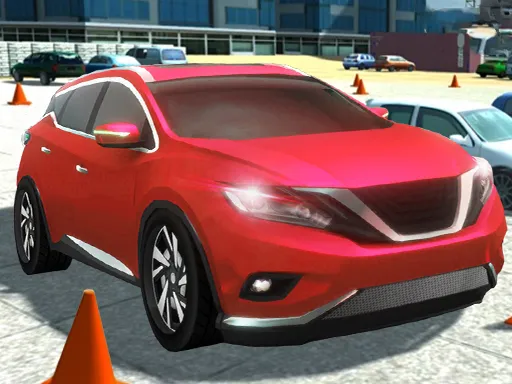
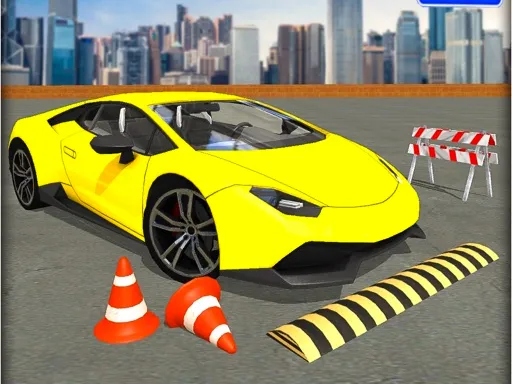
Parking looks easy until a bay is eight inches wider than your car. Advanced Car Parking 3D Simulator turns that small frustration into a full game, with multi-stage levels that ask for a cleaner park each time.
It is a 3D simulation driven by the keyboard, and speed is not your friend. The best attempts are slow, deliberate and made of many small steering corrections. A collision costs you the attempt, but restarting is quick, so you can treat every failed park as a lesson in how far the car swings when you turn.
Game details
| Genre | Racing |
|---|---|
| Controls | Mouse or touch |
| Platform | Browser, phone and tablet |
| Cost | Free, no download |
| Screen | 800 x 600 px |
How to play Advanced Car Parking 3D Simulator
- Use the keyboard controls to move the car toward the bay.
- Reduce your speed as you approach the space.
- Make small steering changes to line up.
- Stop inside the bay to complete the stage.
Tips for Advanced Car Parking 3D Simulator
- Aim for a straight approach into the bay and use the last few feet only for fine adjustments.
- Stop and reverse as soon as the angle looks wrong.
- Observe how your car pivots when you turn; it makes later stages easier.
Frequently asked questions
Is Advanced Car Parking 3D Simulator free?
Yes. It is free to play in your browser, with no download and no sign-up.
What controls does Advanced Car Parking 3D Simulator use?
Keyboard controls, so a computer is the best choice for the precise steering that parking needs.
How do I get better at Advanced Car Parking 3D Simulator?
Go slowly, align early and make small corrections. Replaying quickly after a failed attempt helps you learn the car's swing.
More to play: Racing games · 3D games · Car games · Simulation games
Popular topics: 1 player · 3d games · best · cars · color · drifting
Categories Tags Comments