Super Car Challenge
Played 2 times.


About Super Car Challenge
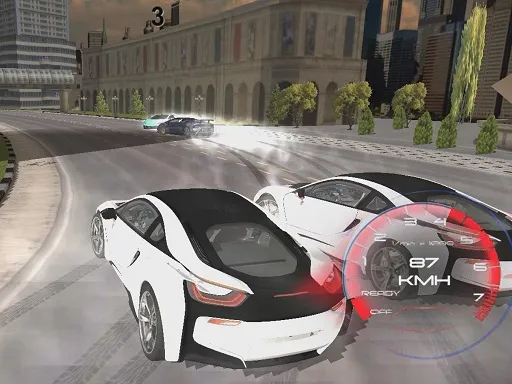
A big garage and a long list of tracks: Super Car Challenge gives you 15 fast cars to drive and 36 race tracks to run them on. Between races you can tune, restyle or replace your car, so progress feels earned.
Nitro is the tool to remember when the clock is running out. Arrow keys or WASD move the car, N is nitro, C switches the camera and Space is the handbrake. That control set suits a computer keyboard best, though the page does load on phones. Plenty to do for any racing fan.
Game details
| Genre | Racing |
|---|---|
| Controls | Keyboard |
| Platform | Browser, phone and tablet |
| Cost | Free, no download |
| Screen | 800 x 450 px |
How to play Super Car Challenge
- Pick one of the available cars and choose a track.
- Drive with the arrow keys or W, A, S and D.
- Press N for nitro and Space for the handbrake in tight corners.
- After the race, spend your earnings on upgrades or a new car.
Tips for Super Car Challenge
- Hold your nitro until you are on a straight and the clock is tight.
- Tap the handbrake only in sharp corners to avoid losing speed.
- Upgrade the car you like driving before buying a new one.
Frequently asked questions
Is Super Car Challenge free to play?
Yes. It is free, runs in your browser, and needs no download or sign-up.
What are the controls in Super Car Challenge?
Arrow keys or WASD move, N is nitro, C changes the camera and Space is the handbrake. A keyboard works best.
Can I upgrade cars in Super Car Challenge?
Yes. Between races you can improve or restyle your car, or purchase a different one, using what you earn.
More to play: Racing games
Popular topics: 1 player · 3d games · best · boy · cars · drifting · hot
Categories Tags Comments