
About Sniper Strike
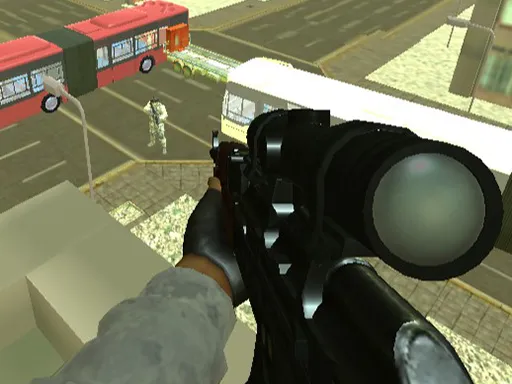
One careful shot can be worth more than a hundred rushed ones. Sniper Strike is played from a first-person view in tense missions, where you pick out important targets and drop them cleanly to finish each assignment.
Precision and caution matter here, from using the iron sights to zooming with the mouse wheel for a longer view. The reload and pause keys keep things manageable on a computer, and a set of on-screen controls takes over on mobile. It all runs in the browser, so there is nothing to install before you start.
Game details
| Genre | Shooting |
|---|---|
| Controls | Mouse or touch |
| Platform | Browser, phone and tablet |
| Cost | Free, no download |
| Screen | 800 x 600 px |
How to play Sniper Strike
- Left-click to shoot and right-click to use the iron sight.
- Scroll the mouse wheel to zoom in and out.
- Press R to reload and Tab to pause.
- On a phone, use the on-screen controls.
- Find the high-value targets and complete each mission.
Tips for Sniper Strike
- Zoom in only after you have found your target; a wide view helps you scan.
- Take a breath before firing and wait until the crosshair settles.
- Reload between targets so you never start a shot with an empty gun.
Frequently asked questions
Is Sniper Strike free to play?
Yes. Sniper Strike is free, plays in your browser and needs no download or sign-up.
What are the controls in Sniper Strike?
On a computer, left-click shoots, right-click uses the iron sight, the wheel zooms, R reloads and Tab pauses. On a phone, use the on-screen controls.
What is the objective in Sniper Strike?
Spot your key targets and take them out with precise shots to complete each mission.
More to play: Shooting games · 3D games · Sniper games





💬 Comments