RX7 Drift 3D
Played 2 times.


About RX7 Drift 3D
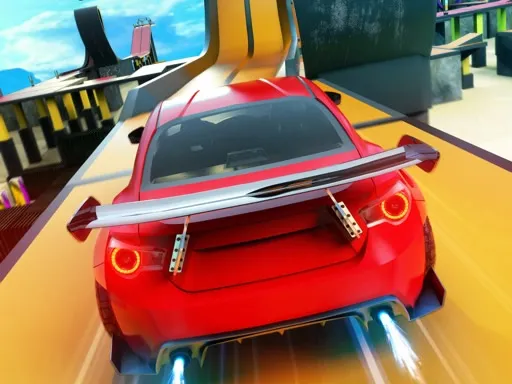
There is no race and no penalty here, just a famous rotary-engined sports car and room to slide it about. RX7 Drift 3D is built around pure driving, so you can practise drifts at your own pace.
The key list is longer than most browser games. You drive with the arrows or W, A, S and D, Space is the handbrake, G switches on slow motion, L turns on the lights and the Q, Z and E keys flash the indicators. You can even record a run with R and watch it back with P. It loads in your browser, and a keyboard on a computer is the way to go.
Game details
| Genre | Racing |
|---|---|
| Controls | Keyboard |
| Platform | Browser, phone and tablet |
| Cost | Free, no download |
| Screen | 960 x 600 px |
How to play RX7 Drift 3D
- Start the game and take the RX-7 onto the road.
- Drive with the arrows or W, A, S and D.
- Tap Space for the handbrake to kick the rear out.
- Press G for slow motion and L for lights.
- Press R to record a run and P to watch it back.
Tips for RX7 Drift 3D
- Build speed before touching the handbrake, or the car will just stop.
- Use slow motion to study how your drift angle looks.
- Record a good run and compare it with the next one.
Frequently asked questions
Is RX7 Drift 3D free?
Yes. RX7 Drift 3D is free in your browser, with no download and no sign-up.
What keys does RX7 Drift 3D use?
Arrows or WASD drive, Space is the handbrake, G is slow motion, L is lights, the Q, Z and E keys are indicators, R records and P plays back.
Is there a race in RX7 Drift 3D?
No fixed race is described. It is about free driving and drifting without consequences.
More to play: Racing games · 3D games · Car games
Categories Tags Comments