Puzzle Bobo Online
Played 1 times.


About Puzzle Bobo Online
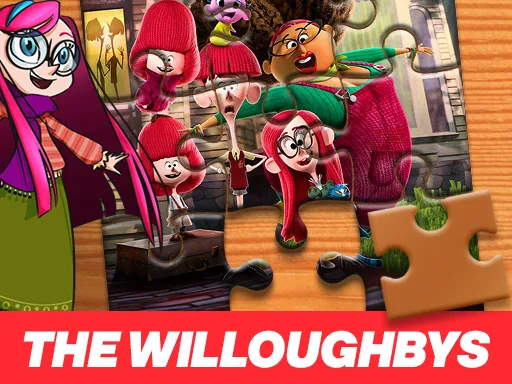
Two difficulty levels, two very different ways to solve the same picture. Puzzle Bobo Online lets you start by dragging pieces into place, then try the harder version where the picture slides around an empty gap.
The gentler mode feels like a classic jigsaw: you pick up a fragment and put it where it belongs. Sliding mode is a different kind of thinking, because every move shifts something else and you need to plan the order. You can play on a computer or a touch device, and a fullscreen option gives you a bigger picture to work with.
Game details
| Genre | Puzzle |
|---|---|
| Controls | Mouse or touch |
| Platform | Browser, phone and tablet |
| Cost | Free, no download |
| Screen | 640 x 360 px |
How to play Puzzle Bobo Online
- Choose the easy or the hard level.
- On easy, drag each picture piece to its correct position.
- On hard, slide pieces into the empty space until the image is complete.
- Switch to fullscreen for a larger view.
Tips for Puzzle Bobo Online
- Try the easy mode first to memorize the picture before attempting sliding.
- In sliding mode, finish one edge at a time and leave it alone afterwards.
- Use landmarks like faces or bright colors to guess where each piece goes.
Frequently asked questions
Is Puzzle Bobo Online free?
Yes. Puzzle Bobo Online is free to play in your browser, with no download and no sign-up.
Can I play Puzzle Bobo Online on a phone?
Yes. Use your finger on a touch device or the mouse on a computer to move the pieces.
What is different about hard mode in Puzzle Bobo Online?
Easy mode uses drag and drop. Hard mode makes you slide pieces one at a time into the empty position.
More to play: Puzzle games · Girls games · Jigsaw games
Categories Tags Comments