MyMelody ABC Tracing
Played 1 times.


About MyMelody ABC Tracing
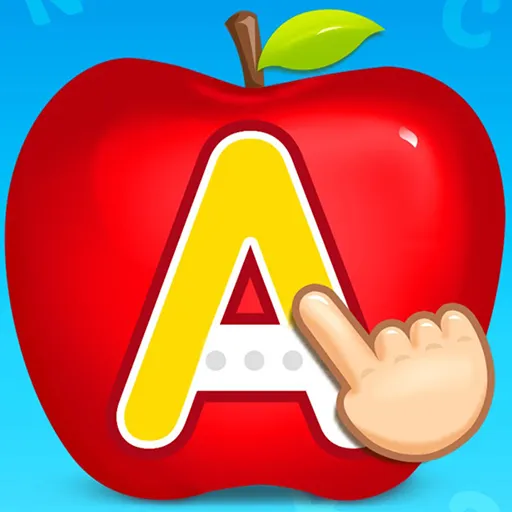
Learning the alphabet gets easier with a friendly face. MyMelody ABC Tracing is an educational game for young children, where they practise drawing letters and learning how each one is pronounced, guided by My Melody.
The activity is hands-on: your child uses the mouse to follow the shape of each letter, which builds early writing control while the pronunciation helps them link sound and symbol. It works as a gentle introduction for little ones and is easy for a parent to set up. The game runs in a browser, and it costs nothing to play, with no download and no sign-up needed.
Game details
| Genre | Racing |
|---|---|
| Controls | Mouse or touch |
| Platform | Browser, phone and tablet |
| Cost | Free, no download |
| Screen | 800 x 600 px |
How to play MyMelody ABC Tracing
- Open the game and pick a letter to start with.
- Use the mouse to trace the shape of the letter on the screen.
- Listen to how the letter is pronounced as you go.
- Move on to the next letter once you are happy with the first.
Tips for MyMelody ABC Tracing
- Trace slowly and encourage kids to stay inside the outline.
- Say each letter out loud together to link the sound and the shape.
- Keep sessions short and repeat the letters that are still tricky.
Frequently asked questions
Is MyMelody ABC Tracing free?
Yes. MyMelody ABC Tracing is free, plays in your browser and does not need a download or a sign-up.
How do kids play MyMelody ABC Tracing?
They use the mouse to trace each letter on the screen. A computer is the simplest way to play, although the page also loads on mobile browsers.
What does MyMelody ABC Tracing teach?
It helps children practise drawing letters and saying them aloud, with My Melody as a guide, making early alphabet practice a little more enjoyable.
More to play: Racing games · Educational games · Kids games
Popular topics: draw
Categories Tags Comments