Military Vehicles Driving
Played 1 times.


About Military Vehicles Driving
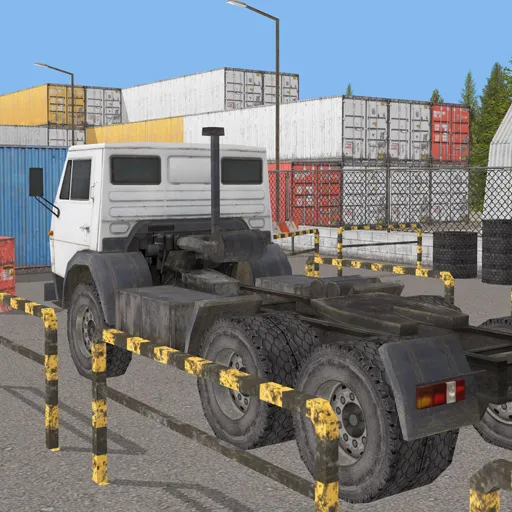
Sand in every direction and a garage of army hardware: that is the setting of Military Vehicles Driving. You choose from a range of army vehicles and take them across a vast desert area.
There is no heavy story or complicated mission list in the information we have, so the game is mainly about the pleasure of driving something big and sturdy. WASD handles the movement, Space applies the brake and C changes the camera angle so you can see the terrain. Built with Unity for browsers, it loads in a tab and needs no installation. It suits players who like exploring with a vehicle.
Game details
| Genre | Racing |
|---|---|
| Controls | Keyboard |
| Platform | Browser, phone and tablet |
| Cost | Free, no download |
| Screen | 960 x 600 px |
How to play Military Vehicles Driving
- Open the game and select a military vehicle.
- Drive with the W, A, S and D keys.
- Press Space to brake.
- Press C to switch between camera views.
- Explore the desert and test how the vehicle handles.
Tips for Military Vehicles Driving
- Try several vehicles; heavier ones feel slow to turn but stable on rough ground.
- Brake before turning, because sand and weight make a slide easy to start.
- Change the camera to a wider view when you want to plan your route.
Frequently asked questions
Is Military Vehicles Driving free to play?
Yes. Military Vehicles Driving is free, runs in your browser and needs no download or sign-up.
What are the Military Vehicles Driving controls?
Use W, A, S and D to drive, Space to brake and C to change the camera.
Where does Military Vehicles Driving take place?
It is set in a vast desert area where you can put your driving to the test in assorted army vehicles.
More to play: Racing games · 3D games · Car games · Simulation games · Truck games
Categories
Racing 3D Car Truck Simulation
Tags Comments