Julio Police Cars
Played 1 times.


About Julio Police Cars
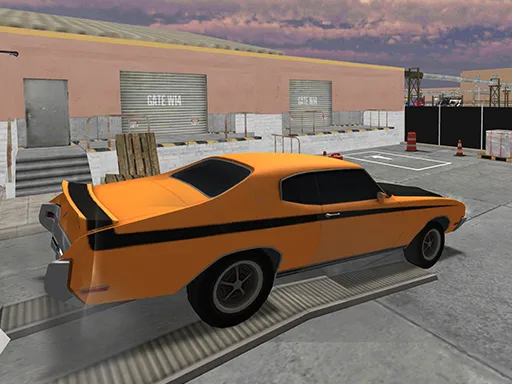
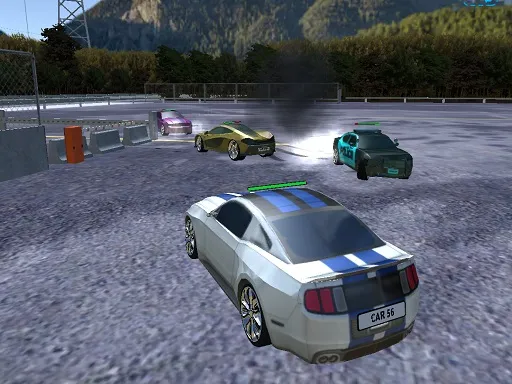
Sirens, ramps and a wide set of vehicles make Julio Police Cars a playful sandbox for anyone who likes driving fast. Ten police cars are available, and one of them is a limousine, so there is plenty to try. Four maps are packed with jumping ramps for stunt attempts.
Controls are richer than most browser racers. You can drive with WASD or arrows, handbrake with Space, boost with Left Shift, flip the lights on with E and even free a stuck car with G. It plays inside a browser window and uses WebGL, so there is nothing to install.
Game details
| Genre | Racing |
|---|---|
| Controls | Keyboard |
| Platform | Browser, phone and tablet |
| Cost | Free, no download |
| Screen | 1060 x 650 px |
How to play Julio Police Cars
- Drive with W, A, S and D or the arrow keys.
- Press Space for the handbrake and hold Left Shift for a boost.
- Press C to change the camera and E to switch the police lights on.
- Press G if the car gets stuck, or R to reset the scene.
Tips for Julio Police Cars
- Use the handbrake to start drifts, then release it as soon as the car points where you want.
- Save the boost for long run-ups before a ramp so you can clear bigger jumps.
- Try every car, especially the limousine, since each may handle differently.
Frequently asked questions
Is Julio Police Cars free to play?
Yes. It is free, runs in the browser and needs no download or sign-up.
What are the controls in Julio Police Cars?
Drive with WASD or the arrows, handbrake with Space, boost with Left Shift, change camera with C, lights with E, unstick with G and reset with R.
How many cars and maps does Julio Police Cars have?
It offers ten police cars, one of them a limousine, and four maps filled with jumping ramps.
More to play: Racing games · Car games
Categories Tags Comments