
About Gta Car Racing - Simulation Parking 3
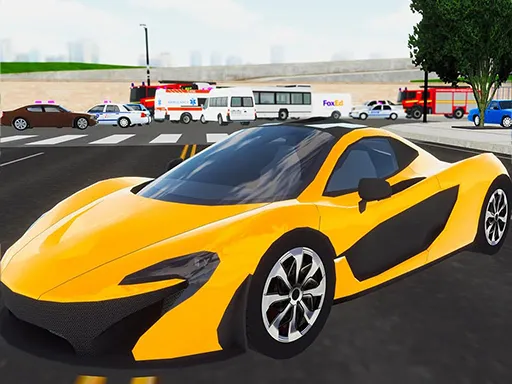
Buses, trucks and supercars all turn up in the tags for this one, which tells you the garage is wider than usual. Gta Car Racing - Simulation Parking 3 is a driving and parking simulator where obstacles stand between you and the finish.
There is no steering wheel or pedal, of course; the keyboard does everything. A computer is therefore the best place to play, and the page also loads on phones for a quick try. Slow, careful driving pays off, since barriers are less forgiving than they look. Treat each level as practice, because the third game in a series rarely goes easy on you. It is free in a browser.
Game details
| Genre | Racing |
|---|---|
| Controls | Keyboard |
| Platform | Browser, phone and tablet |
| Cost | Free, no download |
| Screen | 900 x 600 px |
How to play Gta Car Racing - Simulation Parking 3
- Pick a level and look at the obstacles on the route.
- Drive with the keyboard, using the arrow keys or WASD.
- Steer around each obstacle without touching it.
- Reach the end or park in the target spot to clear the level.
Tips for Gta Car Racing - Simulation Parking 3
- Check what you are driving first; a bus and a supercar do not turn alike.
- Slow down before every obstacle and speed up once it is behind you.
- Look ahead along the route so you are never surprised by a barrier.
Frequently asked questions
Do I need to download Gta Car Racing - Simulation Parking 3?
No. It is free, runs in your browser and needs no download and no sign-up.
How do I control Gta Car Racing - Simulation Parking 3?
Use the keyboard, for example the arrow keys or WASD. A computer is the most comfortable way to play, though phones can open the page.
Are there obstacles in Gta Car Racing - Simulation Parking 3?
Yes. Obstacles are part of the challenge, so you have to steer around them and keep the vehicle under control to finish a level.
More to play: Racing games · Adventure games · Car games · Parking games · Simulation games








💬 Comments