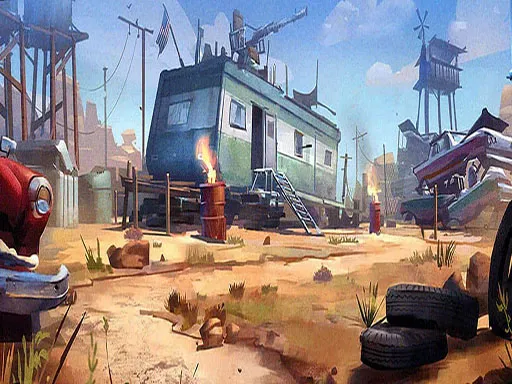
Grimace Bullet Blender
Played 1 times.


About Grimace Bullet Blender
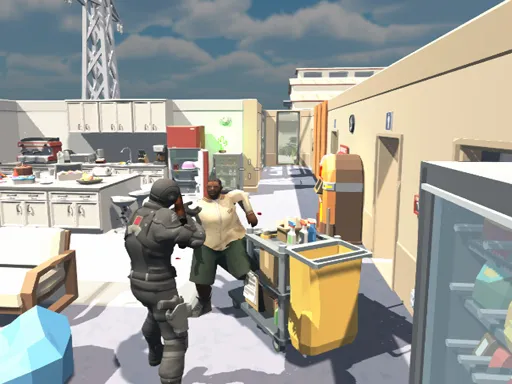
Instead of aiming a gun, you aim the bullet itself. Grimace Bullet Blender asks you to tap the officer or other props scattered around the level to steer a shot toward the target, Grimace.
Once everything lines up, a SHOOT button appears and you can fire. That makes it a small puzzle of angles and positions rather than a test of reflexes, and a good fit for quick sessions. Mouse clicks or taps are all you need, so it plays in the browser on a computer or a phone with no download.
Game details
| Genre | Shooting |
|---|---|
| Controls | Mouse or touch |
| Platform | Browser, phone and tablet |
| Cost | Free, no download |
| Screen | 800 x 600 px |
How to play Grimace Bullet Blender
- Click or tap the officer or another prop to redirect the bullet.
- Keep adjusting until the bullet is lined up with Grimace.
- Press the SHOOT button when it appears.
- Try different objects if the shot does not line up.
Tips for Grimace Bullet Blender
- Check where the bullet points after each click before choosing the next object.
- Do not rush to press SHOOT; wait until the alignment is exact.
- If you are stuck, try an object you have not used yet.
Frequently asked questions
Is Grimace Bullet Blender free to play?
Yes. Grimace Bullet Blender is free, runs in your browser and needs no download or sign-up.
How do I play Grimace Bullet Blender on mobile?
Tap objects on the screen to steer the bullet, then tap SHOOT. On a computer, the mouse works the same way.
How do I shoot in Grimace Bullet Blender?
A SHOOT button shows up when the bullet is exactly lined up with Grimace. Until then, keep clicking objects to redirect it.
More to play: Shooting games
Popular topics: android · mentolatux · mobile · shoot
Categories Tags Comments