Dinosaur Hunting Dino Attack 3D
Played 3 times.


About Dinosaur Hunting Dino Attack 3D
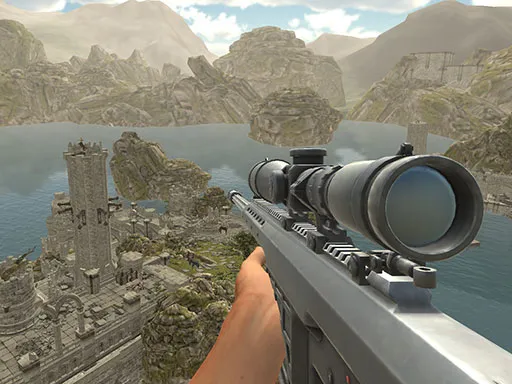
Hunting dinosaurs in 3D is exactly as straightforward as it sounds, and this game leans into it. Dinosaur Hunting Dino Attack 3D is a first-person hunting and shooting game that mixes sniper-style aiming with a prehistoric setting.
The controls give you proper hunter tools. You move with WASD, fire with the left mouse button, aim with the right button, and scroll the wheel to change weapons. Jump, crouch and cursor lock are all on the keyboard too. It is best on a computer, though touch devices are supported if that is what you have to hand.
Game details
| Genre | Shooting |
|---|---|
| Controls | Keyboard + mouse or touch |
| Platform | Browser, phone and tablet |
| Cost | Free, no download |
| Screen | 960 x 640 px |
How to play Dinosaur Hunting Dino Attack 3D
- Start the game and look around for dinosaur targets.
- Walk with WASD and jump with space.
- Hold the right mouse button to aim, then click the left one to shoot.
- Use the mouse wheel to change weapons, and press L to lock the cursor.
Tips for Dinosaur Hunting Dino Attack 3D
- Aim with the right mouse button before every shot rather than firing from the hip.
- Crouch with Ctrl to steady yourself while you line up a target.
- Press L to lock the cursor so it does not slip off the game window.
Frequently asked questions
Is Dinosaur Hunting Dino Attack 3D free to play?
Yes. It is free, plays in your browser, and needs no download or sign-up.
How do I switch weapons in Dinosaur Hunting Dino Attack 3D?
Scroll the mouse wheel to change weapons. You can also press H to remove your weapon from view.
What are the main controls in Dinosaur Hunting Dino Attack 3D?
WASD moves, left click shoots, right click aims, space jumps, Ctrl crouches, and L locks the cursor.
More to play: Shooting games · 3D games · Dinosaur games · Shooter games
Categories Tags Comments