
About Car Driving Free - City Driving
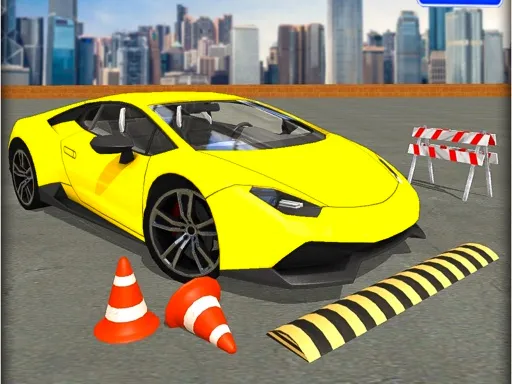
City streets make a decent classroom for a driving game. Car Driving Free - City Driving is a 3D simulator whose categories cover parking, trucks, buses and arcade-style driving, so you are not tied to a single kind of vehicle or task.
Control comes from the keyboard, and the game runs inside your browser without downloads. It is flagged as mobile-friendly, though a keyboard remains the best fit for precise driving and parking. Treat the first few minutes as practice: learn how the car brakes and turns before you try anything ambitious.
Game details
| Genre | Racing |
|---|---|
| Controls | Keyboard |
| Platform | Browser, phone and tablet |
| Cost | Free, no download |
| Screen | 800 x 600 px |
How to play Car Driving Free - City Driving
- Use the keyboard controls to accelerate, brake and steer.
- Drive around the city and get used to how the vehicle handles.
- Practice parking in the spaces you find.
- Try the other vehicle types once you feel confident.
Tips for Car Driving Free - City Driving
- Start slowly; early practice makes parking and tight turns much easier later.
- Brake before corners, because city layouts leave little room to recover.
- Switch vehicles to feel how trucks and cars handle differently.
Frequently asked questions
Is Car Driving Free - City Driving really free?
Yes. It is free, runs in your browser, and needs no download or sign-up.
What controls does Car Driving Free - City Driving use?
It uses keyboard controls. The game is flagged mobile-friendly, but a keyboard gives the best precision for driving and parking.
What can I do in Car Driving Free - City Driving?
It is a 3D driving simulator with parking, truck and arcade-style driving themes, set around city streets.
More to play: Racing games · 3D games · Adventure games · Arcade games · Car games









💬 Comments