American Supercar Test Driving 3D
Played 2 times.


About American Supercar Test Driving 3D
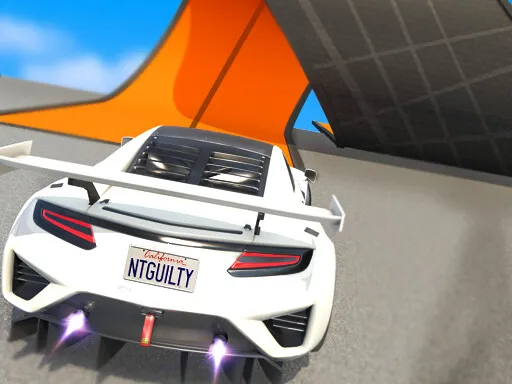
There are plenty of European supercars in browser games, but this one finally hands the keys to an American icon. American Supercar Test Driving 3D lets you take the Ford GT out for a spin, with no limits and a pure driving-simulation feel.
The key list is unusually rich: handbrake, launch control, headlights, reset and even turn signals and hazard lights. That makes it a good fit for people who enjoy the details rather than racing against a timer. It is free to play in the browser, uses Unity and WebGL, and works on mobile devices too.
Game details
| Genre | Racing |
|---|---|
| Controls | Keyboard |
| Platform | Browser, phone and tablet |
| Cost | Free, no download |
| Screen | 850 x 570 px |
How to play American Supercar Test Driving 3D
- Drive with W, A, S and D or the arrow keys.
- Use Space for the handbrake and press F to start with launch control.
- Press L for headlights, R to reset the car and Q or E for signals.
- Press X to switch every signal light on and Z to turn them off.
Tips for American Supercar Test Driving 3D
- Use launch control from a standstill for the quickest getaway.
- Press R if you get stuck, instead of fighting your way out.
- Try the handbrake gently for turns; small taps are enough.
Frequently asked questions
Is American Supercar Test Driving 3D free?
Yes. It is free in the browser, with no download and no sign-up.
What controls does American Supercar Test Driving 3D use?
W, A, S, D or arrows drive. Space is the handbrake, F launch control, L lights, R reset, Q and E signals.
What car do you drive in American Supercar Test Driving 3D?
You drive the Ford GT, taking it on an open test drive with pure driving simulation.
More to play: Racing games · 3D games · Car games · Simulation games
Popular topics: 1 player · 3d games · cars · cool · crazy · drift
Categories Tags Comments