Zombie Virus FPS
Played 1 times.


About Zombie Virus FPS
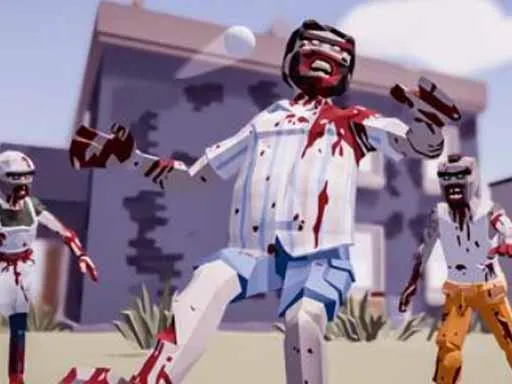
A jungle map, a zombie virus and a rifle: Zombie Virus FPS keeps the recipe direct. It is a first-person survival shooter with offline missions, and each campaign has its own difficulty and a different number of enemies to put down.
Beyond the campaigns you will find extra game modes to try with the guns on offer. Controls follow the standard shooter layout, with WASD to walk, the mouse to look and shoot, Space to jump, Shift to run and Tab for the menu. It was made with a desktop in mind, so a keyboard and mouse help a lot. The game loads in the browser with no download.
Game details
| Genre | Shooting |
|---|---|
| Controls | Keyboard + mouse or touch |
| Platform | Browser, phone and tablet |
| Cost | Free, no download |
| Screen | 800 x 600 px |
How to play Zombie Virus FPS
- Walk with W, A, S and D and run by holding Shift.
- Look around and shoot with the mouse.
- Press Space to jump and Tab to open the menu.
- Pick a campaign mission and clear out the zombies.
Tips for Zombie Virus FPS
- Run to reposition between fights, then stop to aim for better accuracy.
- Start with the easier campaign to learn the controls before trying harder ones.
- Use the menu to try different guns and find one that suits you.
Frequently asked questions
Is Zombie Virus FPS free?
Yes. Zombie Virus FPS is free to play in your browser, with no download and no sign-up.
What controls does Zombie Virus FPS use?
W, A, S and D move you, the mouse looks, aims and shoots, Space jumps, Shift runs and Tab opens the menu. A computer is best.
Does Zombie Virus FPS need an internet connection to play missions?
The missions are described as offline campaigns, each with its own difficulty and enemy count, alongside other game modes you can try.
More to play: Shooting games
Categories Tags Comments