Zombie Bullet 3D
Played 2 times.


About Zombie Bullet 3D
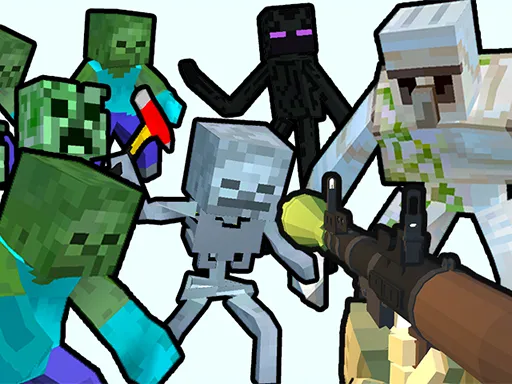
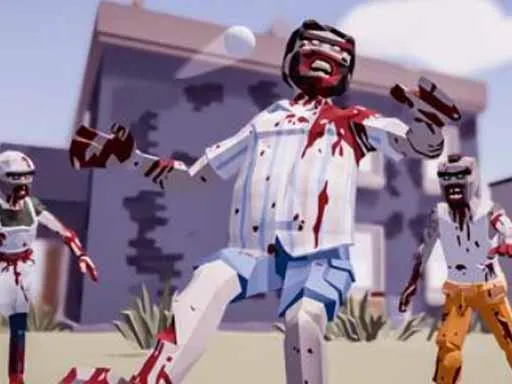
A whole city overrun by the undead, and you are the one with a crate of weapons. Zombie Bullet 3D is a physics-flavoured 3D shooter that lets you pick your approach, from straightforward gunfire to something a little more stylish.
The stylish option is the grappling gun, bound to its own key, which lets you move and fight with extra flair. Movement sits on WASD, and a separate key drops the weapon you are holding when you want to swap. Fights feel lively thanks to the cartoon look and the ragdoll-style chaos typical of the genre, and a single session is easy to start and easy to leave.
Game details
| Genre | Shooting |
|---|---|
| Controls | Keyboard |
| Platform | Browser, phone and tablet |
| Cost | Free, no download |
| Screen | 1920 x 1080 px |
How to play Zombie Bullet 3D
- Walk around the city with W, A, S and D.
- Aim and fire your chosen weapon at the approaching zombies.
- Press Q to drop the gun you are holding.
- Press E to pull out the grappling gun.
- Clear the zombies to survive.
Tips for Zombie Bullet 3D
- Try the grappling gun in open areas where you have room to swing around enemies.
- Drop and replace weapons rather than fighting on with one that no longer fits the situation.
- Back away from big groups while shooting so none reach you at once.
Frequently asked questions
Is Zombie Bullet 3D free to play?
Yes. Zombie Bullet 3D is free, runs in your browser, and needs no download or sign-up.
What are the controls for Zombie Bullet 3D?
Use WASD to move, Q to drop your gun and E for the grappling gun. A keyboard and mouse on a computer work best.
What does the grappling gun do in Zombie Bullet 3D?
It is a special tool you equip with E for a more stylish way to deal with zombies in the city.
More to play: Shooting games · 3D games · Action games · Adventure games · Boys games
Categories
Adventure 3D Action Shooter Shooting Zombie Boys
Tags Comments