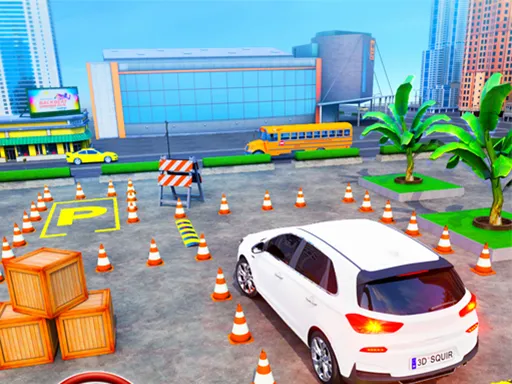
Villager Bus Simulator
Played 1 times.


About Villager Bus Simulator
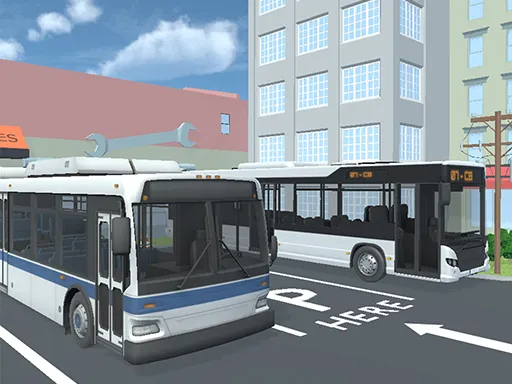
Bus routes are the job in Villager Bus Simulator. You drive a bus, pick up passengers and drop them off, with the focus on smooth driving rather than racing.
Press W or the up arrow to accelerate, S or the down arrow to brake, R to reverse and C to change the camera. Details beyond that are thin, so expect a relaxed simulation about steady control and stopping in the right place. Between stops you can settle into a rhythm, and the camera key lets you choose the view that makes parking easiest. It loads free in the browser.
Game details
| Genre | Racing |
|---|---|
| Controls | Mouse or touch |
| Platform | Browser, phone and tablet |
| Cost | Free, no download |
| Screen | 800 x 600 px |
How to play Villager Bus Simulator
- Press W or the up arrow to accelerate.
- Press S or the down arrow to brake.
- Press R to reverse and C to change the camera.
- Pick up passengers and drop them off at their stops.
Tips for Villager Bus Simulator
- Brake early so the bus stops smoothly beside each passenger.
- Use the reverse key to correct a poor stop instead of forcing a turn.
- Try each camera view; one angle usually makes tight turns easier than the others.
Frequently asked questions
Is Villager Bus Simulator free?
Yes. It is free to play in the browser, with no download and no sign-up.
What are the controls in Villager Bus Simulator?
W or up accelerates, S or down brakes, R reverses and C changes the camera. The game also loads on mobile devices.
What do I do in Villager Bus Simulator?
You drive a bus, pick up passengers and drop them off. It is a simulation focused on steady, careful driving.
More to play: Racing games · Simulation games
Categories Tags Comments