Supercar Parking Simulator
Played 4 times.


About Supercar Parking Simulator
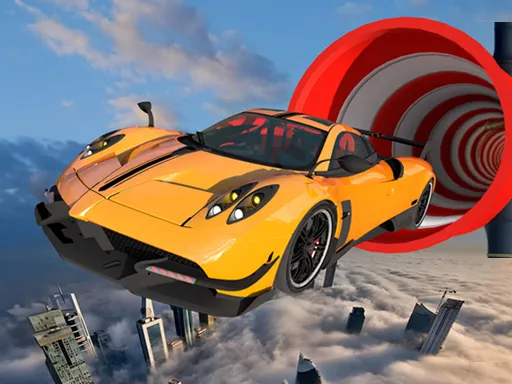
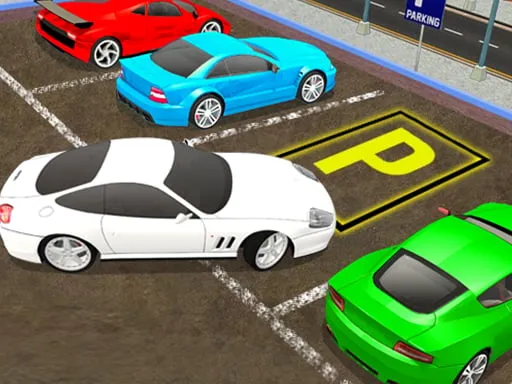
Precision beats speed in Supercar Parking Simulator, a 3D game where you steer powerful cars into marked bays across a series of stages. The cars are quick, so parking one calmly is the real test.
Drive with WASD, use the handbrake on Space, tap F for nitro and press B to check the view behind you. Tab opens the menu. Go slowly in tight corners, because contact usually costs you. It is a one-player game with a good number of demanding stages, and it runs free in your browser on phones and computers.
Game details
| Genre | Racing |
|---|---|
| Controls | Keyboard |
| Platform | Browser, phone and tablet |
| Cost | Free, no download |
| Screen | 800 x 600 px |
How to play Supercar Parking Simulator
- Press W to accelerate and S to brake or reverse.
- Steer with A and D toward the marked parking area.
- Use Space for the handbrake and B to check behind you.
- Press F for nitro only when the space ahead is clear.
- Park neatly and move on to the next stage.
Tips for Supercar Parking Simulator
- Approach the bay slowly; nitro is for open stretches, not for parking.
- Use the rear view with B when you reverse into a tight gap.
- Straighten the car before the last few meters instead of correcting at the end.
Frequently asked questions
Is Supercar Parking Simulator free to play?
Yes. Supercar Parking Simulator is free, runs in your browser, and needs no download or sign-up.
What are the controls in Supercar Parking Simulator?
WASD drives, Space is the handbrake, F is nitro, B shows the view behind, and Tab opens the menu. It also runs on phones.
How do I park well in Supercar Parking Simulator?
Go slowly, use the handbrake and rear view, and straighten the car before the final approach. Fast moves and collisions usually cost you.
More to play: Racing games · 3D games · Car games
Popular topics: 1 player · 3d games · cars · driving · supercars
Categories Tags Comments