
About Pro Car Racing Challenge 3D
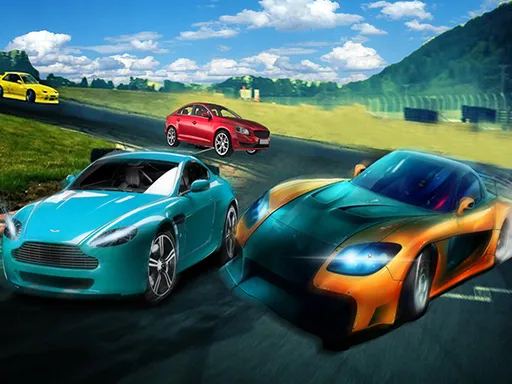
This one is for anyone who likes a steering-wheel feel without leaving the keyboard. Pro Car Racing Challenge 3D puts you on a selection of tracks against professional-style rivals, where control of acceleration, braking and speed decides who gets to the front.
Use W, A, S and D to move the car and the space bar to brake. It is built with Unity and WebGL, so it runs in the browser, and it is marked as mobile friendly. Think of it as a straightforward 3D racer with a stunt-driving edge, ideal for a few laps between other tasks.
Game details
| Genre | Racing |
|---|---|
| Controls | Keyboard |
| Platform | Browser, phone and tablet |
| Cost | Free, no download |
| Screen | 800 x 600 px |
How to play Pro Car Racing Challenge 3D
- Press W to accelerate and A and D to steer.
- Press the space bar to brake before corners.
- Race against the rivals on the track.
- Keep your car under control and aim to finish ahead.
Tips for Pro Car Racing Challenge 3D
- Brake before a bend, not in the middle of it, so the car keeps its line.
- Let off the accelerator slightly while steering to avoid sliding wide.
- Learn each track by repeating it; the corners become easier to anticipate.
Frequently asked questions
Is Pro Car Racing Challenge 3D free?
Yes. Pro Car Racing Challenge 3D is free to play in your browser, with no download and no sign-up.
What are the controls in Pro Car Racing Challenge 3D?
Use W, A, S and D to move the car and the space bar to brake. It is also marked as mobile friendly.
What is the goal in Pro Car Racing Challenge 3D?
Compete on several tracks against rivals, controlling acceleration, braking and speed to stay ahead.
More to play: Racing games · 3D games · Car games









💬 Comments