
About Private War Training
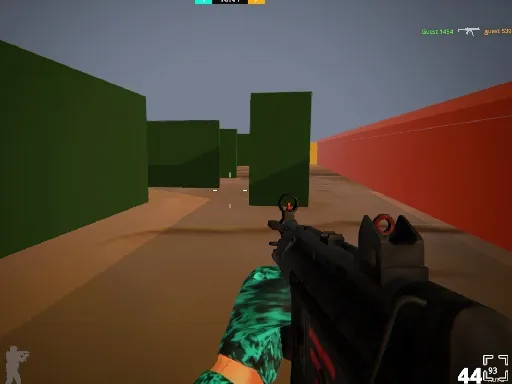
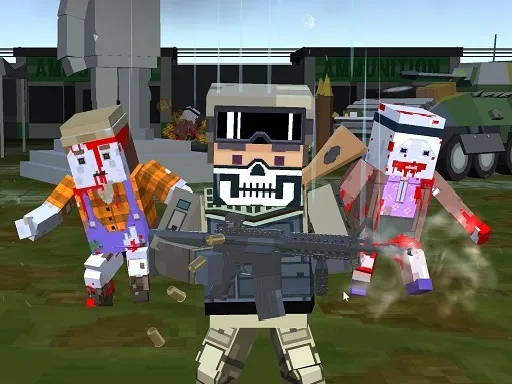
Every good shooter needs a practice range, and this one is as direct as the name suggests. Private War Training is described as shooter training: a place to warm up your aim and movement before heading to bigger fights.
The controls are the usual pair: WASD to walk and the mouse to aim and fire. There is not much text to explain the game, so expect to learn by playing and see what the range puts in front of you. It loads straight in your browser with no installation, and it works best with a keyboard and mouse.
Game details
| Genre | Shooting |
|---|---|
| Controls | Keyboard + mouse or touch |
| Platform | Browser, phone and tablet |
| Cost | Free, no download |
| Screen | 800 x 600 px |
How to play Private War Training
- Walk around using W, A, S and D.
- Move the mouse to aim at what you want to hit.
- Click to fire.
- Practice until your aim and movement feel natural.
Tips for Private War Training
- Start slowly and focus on landing accurate shots before you worry about speed.
- Practice moving and aiming together; standing still teaches you very little.
- Adjust to the mouse sensitivity on your device so aiming feels comfortable.
Frequently asked questions
Is Private War Training free to play?
Yes. Private War Training is free, runs in your browser and needs no download or sign-up.
What controls does Private War Training use?
WASD moves your character and the mouse aims and shoots. A computer keyboard and mouse give the best experience.
What is Private War Training for?
It is a shooter training game, so it works as practice for aiming and movement in an arcade-style shooter.
More to play: Shooting games · Arcade games



💬 Comments