Hangman Challenge 2
Played 1 times.


About Hangman Challenge 2
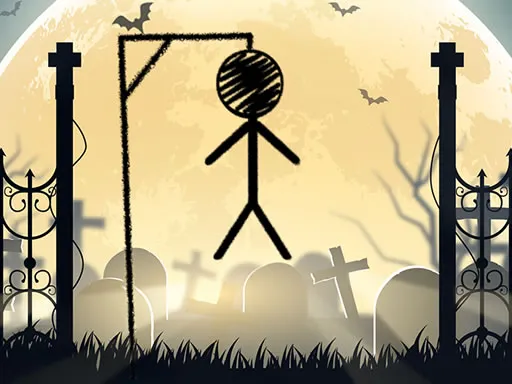
You know the rules already: guess the hidden word one letter at a time and don't let the gallows get finished. Hangman Challenge 2 keeps that classic formula and adds a helpful nudge.
A topic appears at the top of the screen, so you at least know the category you are dealing with. If it says animals, you can stop thinking about roses or furniture. That small hint changes your strategy, because letter patterns become easier to guess. It is a relaxed word game that suits short sessions, and you play it with the mouse on a computer or by touch on a mobile device.
Game details
| Genre | Puzzle |
|---|---|
| Controls | Mouse or touch |
| Platform | Browser, phone and tablet |
| Cost | Free, no download |
| Screen | 1280 x 720 px |
How to play Hangman Challenge 2
- Read the topic shown at the top of the screen.
- Click or tap a letter you think is in the hidden word.
- Correct letters appear in the word; wrong ones add to the gallows.
- Reveal the whole word before the drawing is complete.
Tips for Hangman Challenge 2
- Open with common vowels like E and A, then move to frequent consonants.
- Use the topic to rule out letter combinations that don't fit the category.
- Pay attention to word length. Short words allow fewer, smarter guesses.
Frequently asked questions
Is Hangman Challenge 2 free?
Yes. Hangman Challenge 2 is free to play in your browser, with no download and no sign-up.
Can I play Hangman Challenge 2 on mobile?
Yes. Use the mouse on a computer or tap the letters on your phone or tablet.
What does the topic do in Hangman Challenge 2?
It tells you the category of the hidden word, which narrows down the possibilities and makes guessing easier.
More to play: Puzzle games · Educational games · Fun games · Skill games · Stickman games
Categories
Puzzle Stickman Fun Skill Educational
Tags Comments