Halloween Multiplayer Shooter
Played 1 times.


About Halloween Multiplayer Shooter
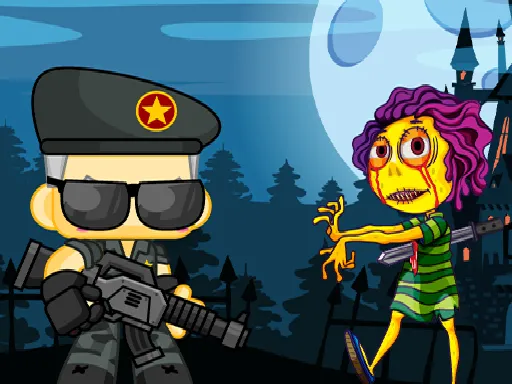
A spooky-season shooter with the option to bring other players along. Halloween Multiplayer Shooter lets you play alone or in multiplayer, and it offers several game modes so a match does not have to feel the same every time.
Between rounds there is a shop for weapons and armor, which gives you something to work toward beyond the next kill. On the controls side, you walk with WASD or the arrow keys, shoot with the left mouse button, and use a few extra keys to crouch, reload and pick up guns. Touch devices are supported, but a mouse feels most precise.
Game details
| Genre | Shooting |
|---|---|
| Controls | Keyboard + mouse or touch |
| Platform | Browser, phone and tablet |
| Cost | Free, no download |
| Screen | 960 x 600 px |
How to play Halloween Multiplayer Shooter
- Choose single-player or multiplayer, then pick a game mode.
- Move with WASD or the arrow keys.
- Click the left mouse button to shoot and press R to reload.
- Press F to grab a gun from the ground, and C to crouch when you need cover.
Tips for Halloween Multiplayer Shooter
- Reload during quiet moments rather than waiting until you are in a firefight.
- Visit the shop for armor and weapons to improve your chances in the next match.
- Crouch to make yourself a smaller target when you are pinned down.
Frequently asked questions
Is Halloween Multiplayer Shooter free?
Yes. It is free, runs in your browser, and requires no download or sign-up.
How do I pick up weapons in Halloween Multiplayer Shooter?
Walk up to a gun and press F. You can also reload with R, crouch with C, and shoot with the left mouse button.
Can I play Halloween Multiplayer Shooter alone?
Yes. The game offers both single-player and multiplayer, so you can play solo or with other people.
More to play: Shooting games · Halloween games · Shooter games
Categories Tags Comments