Easy Solitaire
Played 1 times.


About Easy Solitaire
Some solitaire games feel like homework. This one aims to be the opposite. Easy Solitaire keeps things light by playing the obvious moves on your behalf, so you can focus on the interesting decisions and finish a game without a lot of clicking.
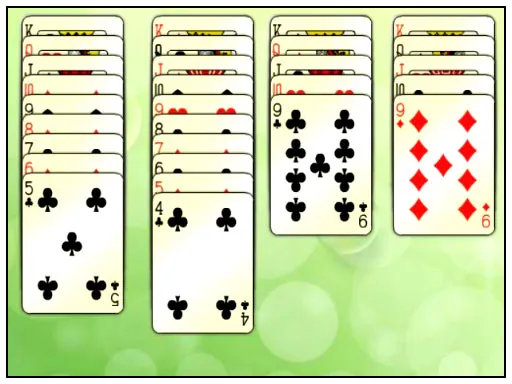
You have access to the whole collection of cards, and the controls are as simple as it gets: drag cards with your mouse to where they belong. That makes it a comfortable choice for a coffee break or for someone new to the card game. It is built for a computer, where dragging feels natural.
Game details
| Genre | Puzzle |
|---|---|
| Controls | Mouse or touch |
| Platform | Browser, phone and tablet |
| Cost | Free, no download |
| Screen | 800 x 600 px |
How to play Easy Solitaire
- Look at the layout and find cards that can be moved.
- Drag a card with your mouse to its new position.
- Let the game handle the obvious moves automatically.
- Keep moving cards until the whole deck is sorted.
Tips for Easy Solitaire
- Spend your thinking on moves that open hidden cards, since those matter more than automatic ones.
- Do not rush to empty a column unless you have a plan for what goes there.
- If you are stuck, scan every column once more. A move you missed is often there.
Frequently asked questions
Is Easy Solitaire free?
Yes. Easy Solitaire is free, runs in your browser, and needs no download or sign-up.
How do I move cards in Easy Solitaire?
Drag cards to where they belong with your mouse. The game also plays the obvious moves itself, saving time.
What makes Easy Solitaire easy?
It plays the obvious moves by itself, so you spend less time clicking and more time on real decisions.
More to play: Puzzle games · Solitaire games
Popular topics: card
Categories Tags Comments