
About Crash the Comet
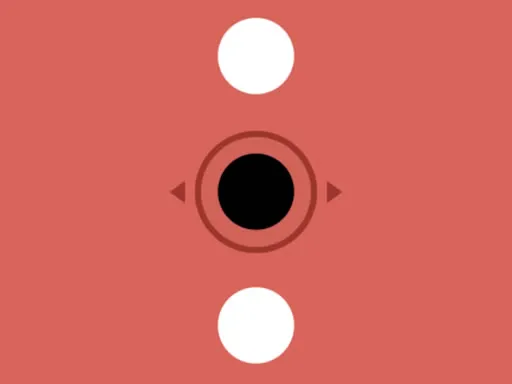
Speed keeps climbing, and your only job is to keep the comet on the track. Crash the Comet looks easy at first, but the comet speeds up constantly, so the margin for error shrinks every second.
There is also a two-hand mode, which can end a run almost instantly if your attention slips. You play with the keyboard, and it is more a test of focus than a race. The game loads in your browser with no downloads, and its compact portrait shape suits a phone; it is flagged as mobile-friendly.
Game details
| Genre | Racing |
|---|---|
| Controls | Keyboard |
| Platform | Browser, phone and tablet |
| Cost | Free, no download |
| Screen | 563 x 750 px |
How to play Crash the Comet
- Use the keyboard to steer the comet.
- Keep the comet inside the track as it speeds up.
- Try the two-hand mode for a harder test.
- Restart quickly after a crash and beat your best time.
Tips for Crash the Comet
- Stay relaxed early; the comet is slow enough to learn the track.
- Make small corrections, because the speed turns big moves into crashes.
- Try single-hand play first before attempting the two-hand mode.
Frequently asked questions
Is Crash the Comet free?
Yes. Crash the Comet is free, runs in your browser, and needs no download or sign-up.
What controls does Crash the Comet use?
You play with the keyboard. The game is flagged mobile-friendly, but a keyboard gives the most reliable control.
What is the two-hand mode in Crash the Comet?
It is a harder way to play where you use both hands, and a crash can come almost immediately.
More to play: Racing games · Casual games



💬 Comments