
About City Constructor Driver 3D
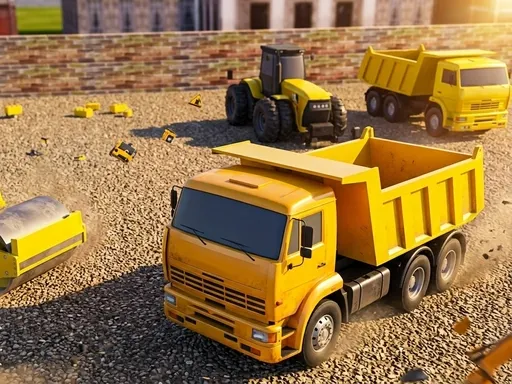
Building a city starts with moving the bricks, and that is your job here. City Constructor Driver 3D is a freight-style simulator for younger players: you drive a 3D truck loaded with building materials and park it where the work needs them.
There is a neat twist at the parking stage, because tapping rapidly while the truck is in place makes construction progress faster. It plays on phones, tablets and computers, so it is easy to try anywhere. Short tasks make it friendly for a quick session. It is gentle, colourful fun that kids can pick up quickly.
Game details
| Genre | Racing |
|---|---|
| Controls | Mouse or touch |
| Platform | Browser, phone and tablet |
| Cost | Free, no download |
| Screen | 800 x 600 px |
How to play City Constructor Driver 3D
- Drive the truck with the on-screen or keyboard controls, whichever your device offers.
- Carry the bricks to the building spot.
- Park the truck in the right place.
- Keep tapping while parked to speed up construction.
Tips for City Constructor Driver 3D
- Park accurately first; there is no use tapping until the truck is in the right spot.
- Tap steadily and quickly once parked to make the building grow faster.
- Take corners gently so the truck stays steady on its way to the site.
Frequently asked questions
Is City Constructor Driver 3D free to play?
Yes. It is free, plays in your browser, and has no download or sign-up.
Can I play City Constructor Driver 3D on a phone?
Yes. It works on phones, tablets and computers. Keep tapping while the truck is parked to make building go faster.
What is the goal of City Constructor Driver 3D?
You drive a truck that moves bricks to a building site, then park it and tap to help the construction go up faster.
More to play: Racing games · Car games










💬 Comments