Brick Break
Played 2 times.


About Brick Break
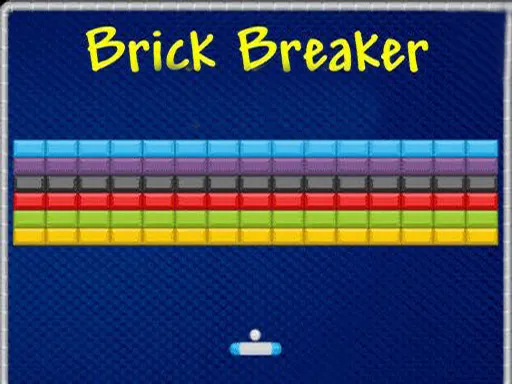
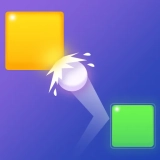
Plenty of arcade fans started with a bat, a ball and a wall of bricks. Brick Break brings that familiar setup to the browser, and on desktop you steer the paddle with the keyboard keys rather than a mouse.
The idea is easy to grasp: keep the ball moving upward, hit the blocks, and never let it drop below your paddle. Over time you learn to read bounces and place yourself ahead of the ball instead of following it. The game also loads on phones and tablets, though the keyboard is the control scheme the publisher describes. A few rounds are enough to see how your reflexes are doing.
Game details
| Genre | Puzzle |
|---|---|
| Controls | Mouse or touch |
| Platform | Browser, phone and tablet |
| Cost | Free, no download |
| Screen | 800 x 600 px |
How to play Brick Break
- Press the keyboard keys to slide the paddle left and right.
- Let the ball bounce off the paddle to send it up at the bricks.
- Break blocks one hit at a time as the ball ricochets.
- Clear all the bricks without letting the ball fall.
Tips for Brick Break
- Tap the keys in short bursts rather than holding them, for finer control.
- Watch the ball's angle after each bounce and move to where it will land.
- Try to open a path to the top; bouncing above the wall clears bricks quickly.
Frequently asked questions
Is Brick Break free?
Yes. Brick Break is free to play in your browser, with no download and no sign-up.
Which keys do I use in Brick Break?
On a desktop you move the paddle with the keyboard keys, as the game describes. A computer is the best way to play.
What is the aim of Brick Break?
Keep the ball bouncing off your paddle so it breaks every block on the screen without falling past you.
More to play: Puzzle games · Ball games · Block games · Brain games · Fun games
Categories
Ball Puzzle Brain Fun Skill Block
Tags Comments